
Searching the Bell Buckle Court Docket
No public Bell Buckle docket or calendar search was located. Begin with City Court Clerk Debby Snell at the town office, 8 Railroad Square, Bell Buckle, TN 37020, phone (931) 389-9513. Provide the citation number, date, name, and exact record sought. Ask whether Bell Buckle keeps the matter or whether it moved to Bedford General Sessions.
- Read the court and citation number from the notice.
- Call Debby Snell and ask if Bell Buckle holds the current docket.
- Request the setting, status, order, or final disposition as an existing record.
- If General Sessions now holds it, use Bedford TnCIS with that office selected.
- Confirm the response instructions and date with the maintaining clerk.
Bell Buckle Starts at Railroad Square
The town office is the practical records starting point. Its official contact page publishes the address, phone, and weekday schedule: Monday and Thursday 8 a.m. to 4 p.m.; Tuesday, Wednesday, and Friday 8 a.m. to noon; closed weekends and holidays. Confirm current access before travel.
Those are office hours, not a court calendar. Ask whether court records are handled during every office window and whether an inspection appointment is needed. The contact form can start an inquiry, but it is not a filing portal.
Bell Buckle Municipal Court Basics
AOC and MTAS sources identify Bell Buckle City Court, Debby Snell as clerk, and J. Patrick Parnell in the Bell Buckle and Wartrace municipal structure. The town code organizes municipal-court provisions under Title 3 and motor vehicles, traffic, and parking under Title 15.
That legal structure supports a city-specific court route. It does not establish a live docket entry. Use the clerk for a particular citation, setting, plea, court order, or disposition.
Bell Buckle Code Is Not a Docket
The municipal code page helps locate the town's court and traffic rules. A code PDF states rules that may apply across cases. A docket records what occurred in one case.
- Title 3
- The Bell Buckle code title for Municipal Court.
- Title 15
- The title for motor vehicles, traffic, and parking.
- Disposition
- The court-recorded outcome of a charge or citation.
Knowing an ordinance can help frame a request, but it cannot show whether a ticket was paid, dismissed, continued, or adjudicated.
Court Dates and Settings in Bell Buckle
No live Bell Buckle calendar was captured. The citation may show the first setting, but the clerk should confirm the current one. Ask for the date, time, location, assigned judge, and purpose. A reset means the date changed; it does not mean the case was dismissed.
| Date | The current docketed setting. |
|---|---|
| Time | The appearance or docket-call time. |
| Location | Confirm the current court site before travel. |
| Judge | Ask which municipal judge is assigned. |
| Setting Type | Arraignment, hearing, trial, or compliance as recorded. |
Bell Buckle Contact Form Limits
The town contact form asks for first name, last name, email, subject, and message. It can send a general town inquiry. It does not show a citation status, accept a plea, prove that a court filing was received, or change a deadline.
| Form field | Useful court detail |
|---|---|
| Subject | Bell Buckle City Court record request |
| Message | Citation number, date, name, and exact existing record |
| A reply address, not proof of filing |
For a live setting or deadline, follow up by phone and use the citation's official instructions.
Traffic Tickets in Bell Buckle
A Bell Buckle citation can begin in City Court, especially when it concerns a town ordinance or municipal traffic rule. No official online payment portal or public citation field was verified. Do not borrow a Shelbyville payment link or assume another town's response method applies.
Ask the clerk how to pay or contest the specific ticket, and get the current deadline from the citation or court. The Bedford County traffic ticket page explains the broader venue split when the issuing court is unclear.
Bell Buckle Public Request Channels
A records request should identify an existing item. Ask to inspect or copy the Bell Buckle docket entry, citation, order, or final disposition. The town office supplies phone, counter, and contact-form routes. Before mailing, confirm the correct address, custodian, and any fee estimate with Debby Snell.
Two assigned source captures concern Shelbyville's detailed public-record form and recorder page. They are useful only as county research context, not as Bell Buckle's own form.
The Shelbyville form source shows the fields and delivery choices captured during research.
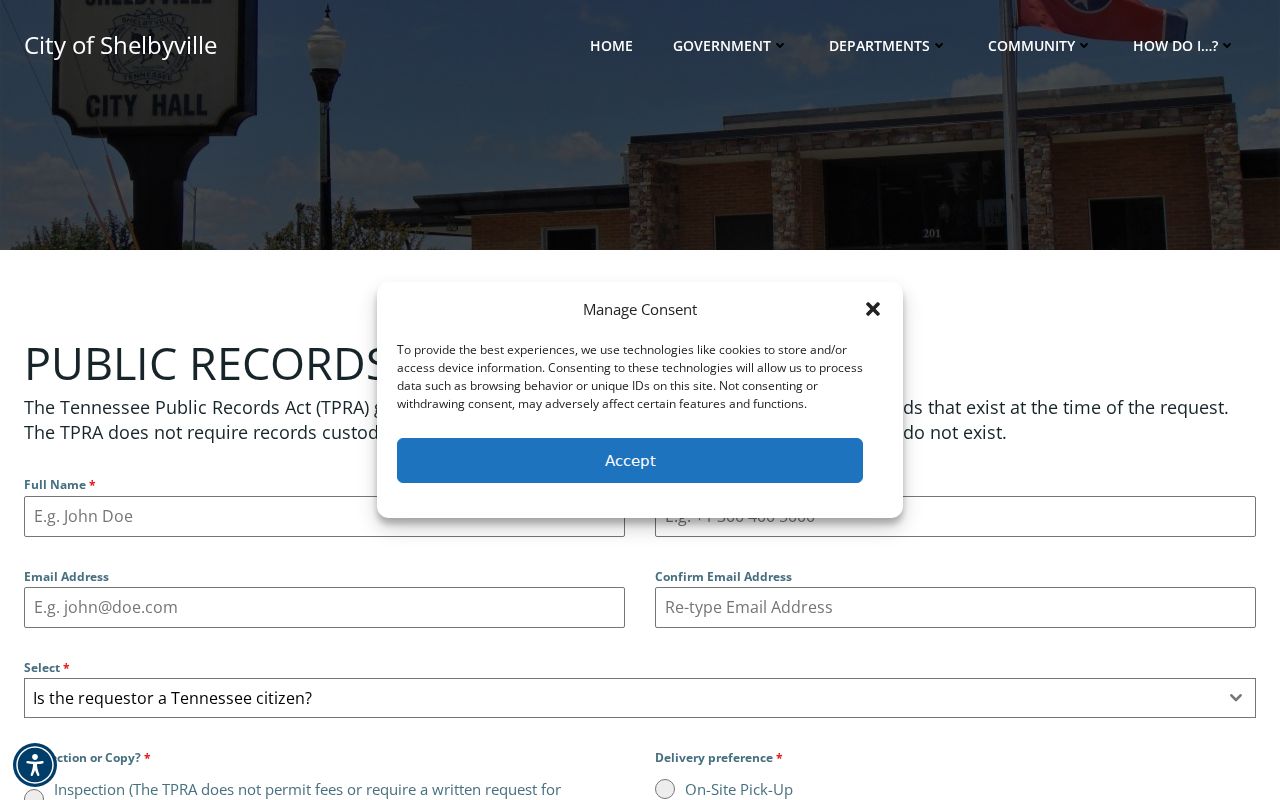
The screenshot must not be mistaken for a Bell Buckle submission route.
The Shelbyville recorder source shows that city's distinct records office.
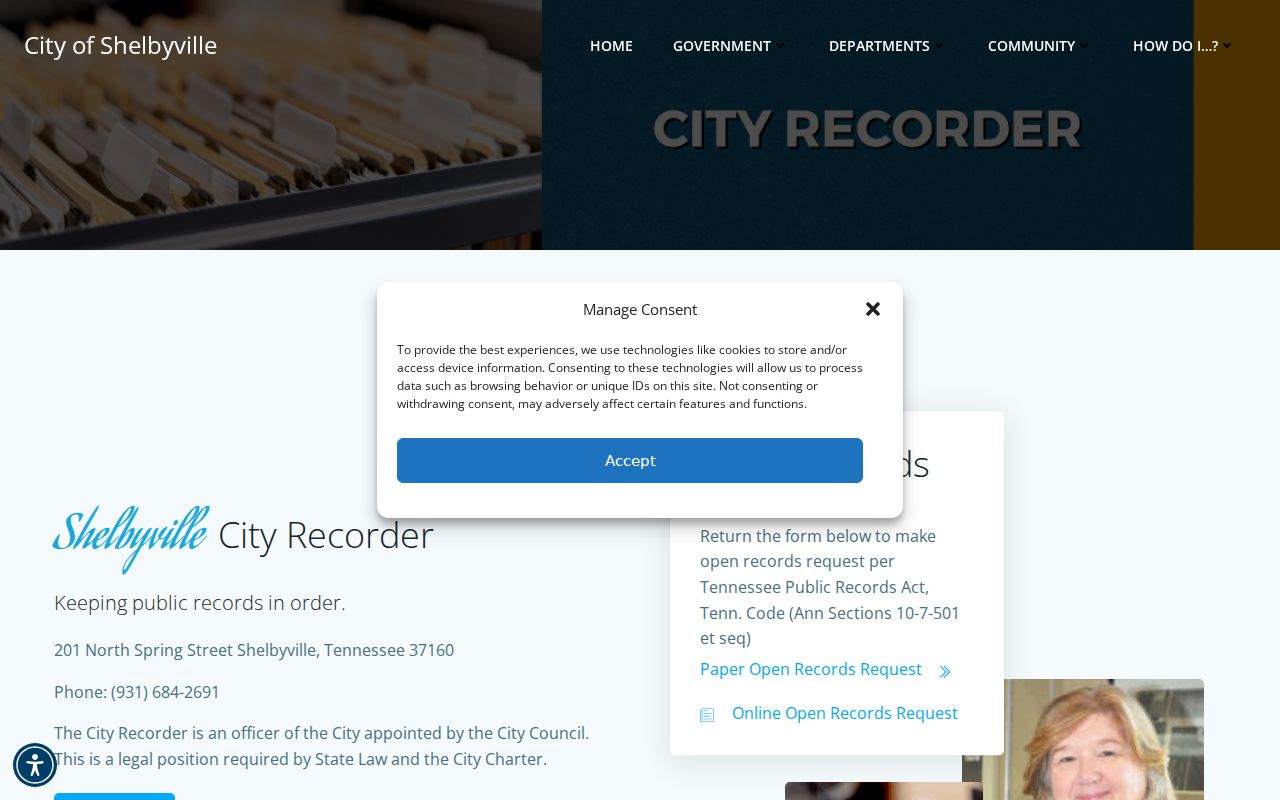
Bell Buckle requests still begin with its own City Court Clerk and town office.
Where Bell Buckle Cases Go
Municipal matters can stay with Bell Buckle. General Sessions hears county limited-jurisdiction and preliminary criminal work. Circuit and Criminal Courts handle higher trial-court matters. A transfer should be confirmed by the clerk, not inferred from a blank town search.
Docket flow: Bell Buckle Municipal Court › Bedford County Courts › Bedford County Circuit Court
The line is a routing model, not a claim that each case advances. The Bedford County court docket overview covers county offices in more depth.
Bell Buckle Has 410 Residents
Bell Buckle's 2020 Census population was 410, with a 2025 state-certified population source also reviewed. The number helps explain why a small town may use a clerk-led access process instead of a dedicated public docket vendor. It does not show court volume.
The town's historic railroad-square setting is local context, not a promise of informal or same-day court access. Written policy and clerk instructions control.
Bell Buckle Court Record Access Rules
Tennessee Supreme Court Rule 34 governs access to court records, subject to confidentiality, sealing, and redaction. Town administrative records can fall under the Tennessee Public Records Act. Tell the custodian whether the requested item is a court filing, citation disposition, payment record, or town document.
Key Rules:
Tennessee Supreme Court Rule 34 preserves court-record access while recognizing lawful restrictions.
Tennessee Public Records Act guidance explains request forms, inspection, citizenship, timing, and reasonable copy charges for covered records.
Bell Buckle County Search Fallback
If Debby Snell says General Sessions or another Bedford court maintains the record, get the exact office and case number. Then use Bedford County Online Court Records. Its filters cover Circuit Court, General Sessions, and Clerk and Master, with Criminal and Civil case types.
TnCIS has no municipal Bell Buckle or Traffic checkbox. Search the numeric tail of a formatted case number when known, narrow the office and year, and treat the public result as a discovery view. Contact the county clerk for the current setting, document image, certification, or a missing case. Tennessee Public Case History covers appeals only and is not a statewide trial-court substitute.
Bell Buckle Citation Request Checklist
Build a Bell Buckle request around the record, not a general story. Give Debby Snell the citation or case number, the cited person's full name, the issuing agency, the citation date, and the exact item needed. Existing items may include the citation, docket entries, current setting, court order, payment entry, or final disposition. If the printed number is unclear, add the violation and approximate date as secondary identifiers. Ask the clerk to identify the receiving court when the town no longer holds the matter. This gives the Bell Buckle office a focused task and avoids asking staff to create a new summary.
Use the channel that fits the need. Phone is the fastest published route for a close setting or a custody question. An in-person visit can support inspection, but call first because the town's weekday windows vary and office hours do not prove court-record service at every hour. The general contact form can open a conversation, yet it should not be treated as a filed plea or deadline response. Confirm whether Bell Buckle accepts a written request through that form, by mail, or another method. Before asking for copies, request the town's current charge estimate and distinguish a plain copy from a certified one.
When the clerk points to Bedford General Sessions, obtain the exact county case number and office. TnCIS permits a name, filing year, or numeric case-number search and lets the user select General Sessions. It does not offer a Bell Buckle or Traffic checkbox. Too many inconsistent filters can hide the case. Search narrowly, review the visible result, and then contact the county clerk if the setting is near or a document is needed. A public result is not a certified copy. A missing result also does not prove the town citation was erased, dismissed, or never filed.
Compare records before relying on an outcome. The citation describes the initial charge and response instructions. The docket records settings and procedural events. A court order reflects judicial action, and the disposition states the result. A receipt proves payment but may not, by itself, establish how the court closed the matter. If those sources appear inconsistent, ask Bell Buckle City Court which record controls and whether a corrected entry exists. This final check keeps the small-town clerk route distinct from the county portal while still giving the reader a clear fallback for a transferred Bell Buckle case.
Bell Buckle Transfer Notes
Keep a copy of each Bell Buckle request and note when the town replied. If the record moved, ask for the transfer date, receiving court, and new case number. Those details let the Bedford clerk match the municipal citation to the county record. They also prevent a payment reference from being mistaken for a court case number.
For a close court date, call before relying on mail or the town contact form. Ask staff to read back the date, time, location, and court name. If a later notice conflicts with the original citation, the maintaining court should explain which setting is current. A public docket result is a useful lead, but it does not replace that direct confirmation. Save both the original paper and later notice until the record is resolved.
Bell Buckle Setting Cross-Check
A Bell Buckle court date should be verified with the office that currently holds the citation. Give the clerk the full number, issue date, issuing agency, and printed appearance date. Ask for the present date, time, court location, and setting type. Note who confirmed it and when. Town office hours do not establish a court calendar, and the municipal code page does not publish case settings. A later notice or order can replace the date printed on the first citation.
If a reset occurred, ask whether the court entered a new notice or docket event. A continuance postpones a setting but does not end the case. If the Bell Buckle matter moved to Bedford General Sessions, request the receiving court and its new reference. Keep both the municipal and county numbers. Then search the county portal with General Sessions and the matching case type instead of checking every office at once.
No official Bell Buckle online payment portal was located in the reviewed sources. Do not use a payment link from an unexpected message. Begin with Debby Snell's published clerk route or the town's official contact page. Confirm the accepted payment method, due date, and citation number directly. A receipt proves a payment transaction. The docket or final order must still be checked for the legal disposition and any later court action.